Shell (the field skin)
Shell(thickness) hollows a solid into a constant-thickness skin. A real quarter
cut (two section planes on the render, the viewer’s
section mode) exposes the interior wall — and because a shelled shape is
SDF-native, the cut carries its isolines: the
two gold contours are the exact inner and outer surfaces, and the constant gap
between them IS the wall thickness, readable at a glance:
var hollow = Shape.Sphere(16).Shell(2.5);
var scene = new Scene();scene.Add(new Part("shelled sphere", hollow, Palette.Brass,    Matrix4d.CreateTranslation((0, 0, 16))));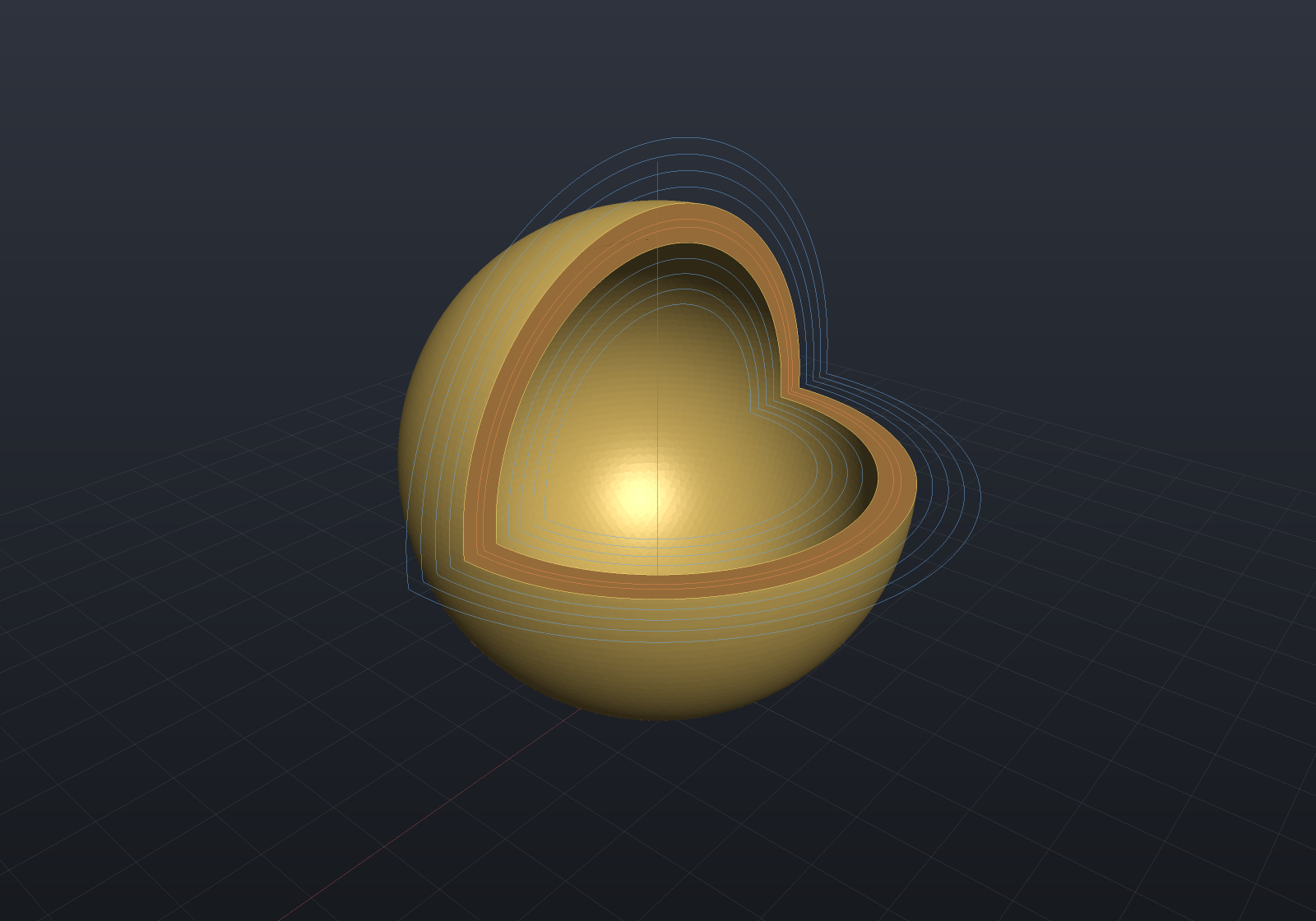
There are two shells, and they are different geometry
Shell(thickness) is the field skin: |d| − t/2, a wall that straddles the
original surface, so half the material goes outward and half inward. Shell(t, openings) — the overload on loft, draft & shell — is the
exact inward hollow the B-Rep kernel performs by topology surgery, which keeps
the outer surface exactly where you drew it and exports to STEP.
That is deliberately two calls rather than one call with representation-dependent walls: which surface stays put is a modelling decision, not an implementation detail, so the API makes you say it. The field shell’s B-Rep-Impossible message names the exact overload.
Related
- Offset — the one-sided version of the same field arithmetic
- Loft, draft & shell — the exact inward hollow
- Lattices — filling the cavity instead of leaving it empty